--Volume2 + Portable 26.1.0.471 [Multi/Ru]
--
Версия программы: 1.1.9.470
Официальный сайт: Alexandr Irza.
Язык интерфейса: Русский, 
Лечение: не требуется
Системные требования:
- 7 | 8 | 8.1 | 10 | 11 (x64)
Описание:
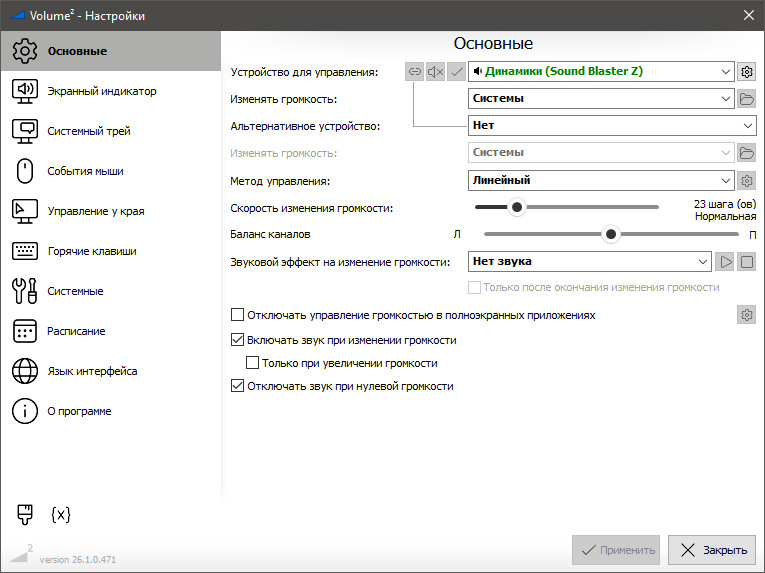
Volume² — альтернативный регулятор громкости, который полностью заменяет стандартный регулятор громкости Windows и обеспечивает простую настройку горячих клавиш и событий мыши.
Дополнительная информация:
- Управление громкостью при вращении колеса мыши над:
- Иконкой в трее.
- Панелью задач.
- Рабочим столом.
- Заголовком окна.
- Управление громкостью, движением мыши у края экрана монитора.
- Возможность отключения звука одним кликом.
- Управление яркостью экрана.
- Поддержка ъгорячихъ клавиш.
- Позволяет задать шаг изменения громкости звука, добавить звуковой эффект при изменении громкости.
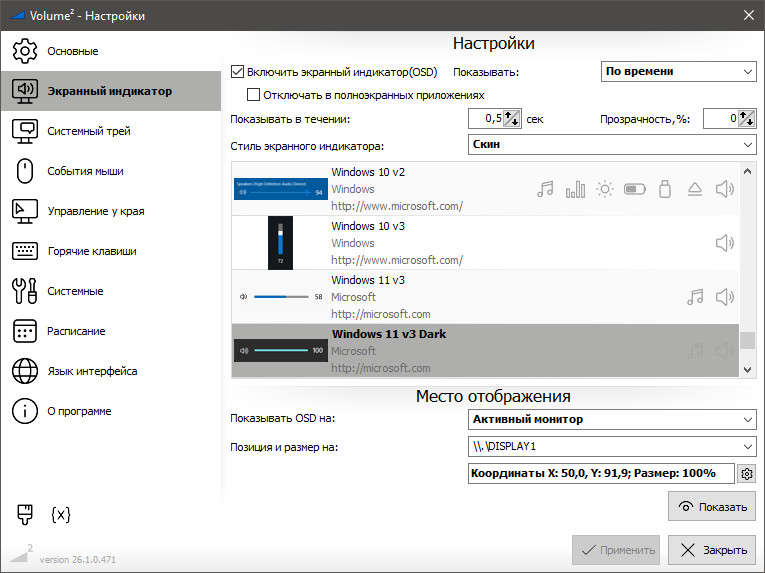
- Наличие ОСД (экранное меню).
- Настройка событий мыши.
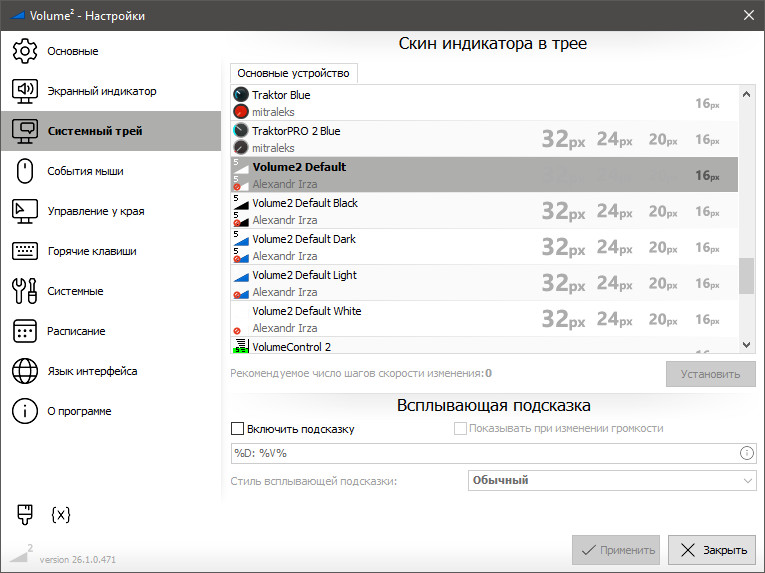
- Наличие всплывающих подсказок.
- Есть простой планировщик задач, который позволяет запускать приложения или управлять громкостью.
- Возможность изменять общую громкость всей системы, активного приложения или просто конкретной программы.
- Позволяет выбирать красивые скины индикатора звука в трее и изменять вид.
Изменения в версии::
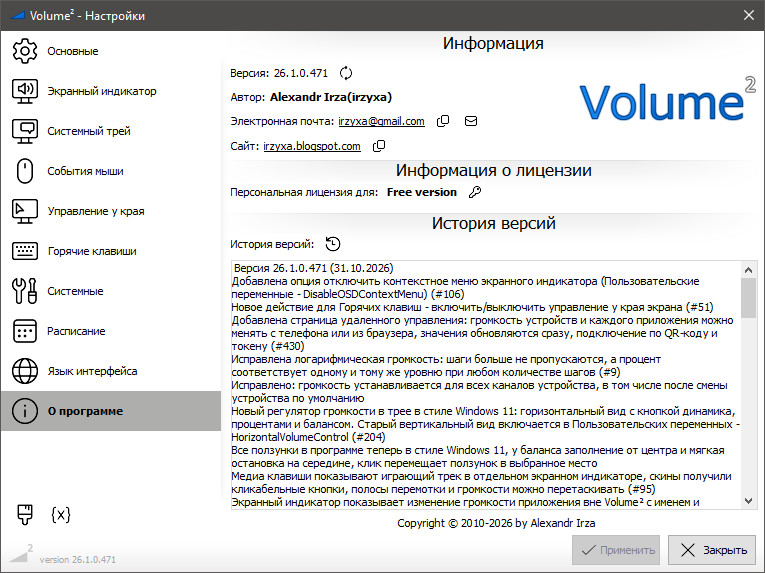
Volume² 26.1.0.471
Added option to disable the OSD right-click menu (User Variables - DisableOSDContextMenu) (#106)
New hotkey action - turn screen edge control on and off (#51)
Added remote control page: change the volume of devices and every application from a phone or browser, with live updates, a QR code and a token (#430)
Fixed logarithmic volume: no skipped steps, and a percent is the same level at any step count (#9)
Fixed: setting the volume reaches every channel of the device, also after the default device changed
New Windows 11 style volume popup in the tray: horizontal layout with speaker button, percentage and balance. The old vertical layout can be set in User Variables - HorizontalVolumeControl (#204)
All track bars are now Windows 11 style, balance fills from the centre with a soft snap to the middle, click moves the thumb there
Media keys show the playing track in a media OSD, skins get clickable buttons, the seek and volume bars can be dragged (#95)
OSD shows when the volume of an application is changed outside Volume², with the application's name and icon (#138)
Added application icon on the OSD, skins ask for it with AppIcon
Fixed: every spin box in Volume² and Volume2PM accepts typed values (#428)
New Windows 11 style SVG icons and dark mode with Windows' own themes (#427)
Fixed scaling of the Options window and message boxes between monitors with different DPIs (#22)
Fixed: Every schedules no longer hang Volume² at startup and also run when it starts (#29)
Added "After closing application" to Schedules, one schedule can watch several applications (#13)
Fixed taskbar wheel lag with a touchpad or a fast mouse, the taskbar is found on Windows 11 build 26300 (#389)
Fixed crash in OSD text when the default device is not in the device list yet (#426)
Control method of each device is set in a column of the Audio device manager, one default method on the Main page. Windows Default follows the method of the default device (#191)
OSC device reports its volume back, works as the alternative device and with Lock Devices Volume (#355, #133)
OSD slides in and out like the Windows 11 flyout (Motion option) (#422)
Application volume hotkeys can target a chosen application or a list of applications (#262)
New hotkey action - turn Windows' audio enhancements on and off for a chosen device (#291, #84)
OSD drawn sharp at any size, added SVG skins, light/dark skins and Auto size (#310)
New Inno Setup installer: aware of upgrades, offers the theme-aware Volume2 Default tray and Windows 11 v3 OSD skins, no more path length limit (#301)
Mouse wheel over a taskbar button changes that application's volume, over empty taskbar space the master volume (#389)
Fixed volume change sound: it plays on its own thread, short sounds are no longer lost (#308)
Fixed Peak Meter context menu with the Classic and High Contrast themes (#280)
Skin OSD text can use the system font (#315)
Notifications also show with the 'No icon' tray skin (#380)
Volume² draws its own tray balloon on Windows 10/11 (#421)
Fixed tray tooltip: it is visible and follows the volume while the mouse is over the icon (#387)
Peak Meter can measure the alternative device, its settings are grouped into Main, Skin and Position (#187)
Volume table can be shown and edited in percent (#263, #256)
OSD can be shown on all monitors (#121)
OSD settings follow the monitor they belong to, not the screen order (#186, #120, #429)
Added application list where Volume² hotkeys stay out of the way (#372)
Fixed: brightness reset restores the original brightness again (#230)
Fixed active application volume for Store (UWP) apps (#49)
Fixed Apple Music volume with active application (#299)
Right-hand Ctrl, Shift and Win can be used in Hotkeys (#193)
Added option to invert the full-screen application list (#100)
Mouse hook runs on its own thread, fast scrolling no longer lags the cursor (#373, #50)
Fixed autostart: the Settings window no longer opens at login, Volume² starts with Windows once, minimised to the tray (#416, #417)
Peak meter in the system tray (#418)
Language files switched to UTF-8, files are read and written in any encoding (#407)
Fixed: application volume uses the application's active audio session (#267)
Fixed: alternative tray icon controls the alternative device (#199)
Added user variable for the brightness step (#184)
Fixed: devices in the tray context menu no longer disappear after sleep (#137)
Fixed sticky Ctrl/Shift after using Hotkeys (#322)
Fixed right aligned OSD text: 100% was cut to 1... (#409)
Exclude Taskbar is not applied to the OSD in full-screen applications (#195)
Fixed single left click on the alternative device tray icon (#196)
Fixed: volume changes again after an RDP session (#33)
Fixed: the default device menu shows all devices again unless only favorites are enabled (#403)
Fixed: OSD no longer moves off screen after games or a display change (#358)
Added option to hide the balance in the volume popup (User Variables - HideBalanceForVolumeControl)
Extended the mouse scroll area of the tray volume popup
Особенности Portable:
- Портативная версия программы предоставлена разработчиком и работает без инсталляции на компьютер.
Volume2_26_1_0_471_x64.zip
CRC32: E1DFF974
MD5: 19DF3F20B1AB64528EA736BBB6FE9761
SHA-1: F06E0C03FE4F6841AE4421224B0395E2EB9C37CB
Скриншоты:
|



 Вверх